Here’s the odd thing about marketing today. You’ve got more data than ever. Platform reports, test results, forecasts, dashboards are everywhere. And yet the question that matters most still feels like a guess: where should the next dollar go?
Think about your last budget meeting. You had a growth target, a fixed budget and a pile of reports. Meta said one thing. Google said another. Your test told you what worked in one market. The forecast told you where the quarter might land. Nobody was wrong. They were just answering different questions.
So what happens? The budget split drags on. Brand spend gets questioned again. Finance asks for proof you can’t quite give. And the plan you finally agree on never really makes it into next week’s campaigns.
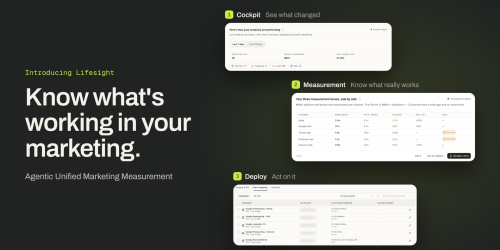
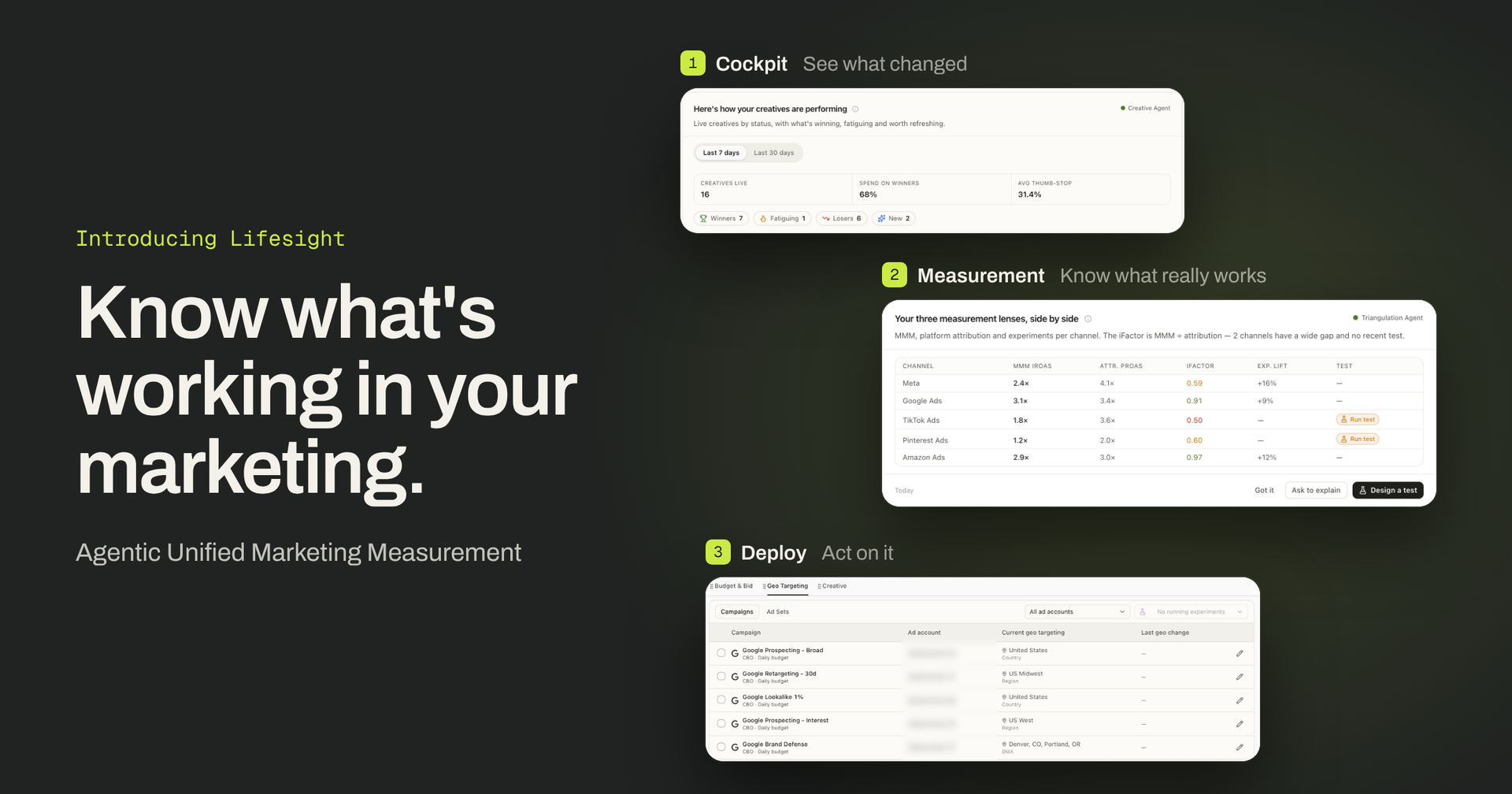
So that is why today, we’re launching the new Lifesight, the Agentic Unified Marketing Measurement Platform.
Think of it as an agent on a causal engine. The engine works out what your marketing actually adds. The agents put that to work. Start with a question, or let an agent bring you something that needs your attention. Check the evidence, compare your options and leave with a decision your team can act on.
In short: know what drives growth, then put agents to work.
From reports to decisions
The new Lifesight does two jobs for you. First, it shows what your marketing really drives. Then it helps you act on that, without the busywork.
Know what’s really driving growth
This is the job of the Measurement layer. It cuts through the noise so you see what your marketing actually caused, not just what got credit.
- See how each channel moves revenue, including effects that show up weeks later and the point where extra spend stops paying off.
- Prove what a specific change did by testing it in some markets and comparing them with similar markets.
- Bring that same answer down to campaigns, ad sets and creatives for your day-to-day calls.
Behind those three are Causal MMM, geo incrementality testing and incrementality-adjusted attribution. Each one sharpens the others. A test result tightens your next model. The model tells you what’s worth testing next. So every round of learning improves the next decision.
Act on what you learn, with your team in control
That’s where the Decisioning layer comes in. Ask a question and get a straight answer. Let agents spot what changed, find out why and draft your next move, like a revised plan or a brief for Finance.
Every recommendation shows its evidence, and nothing moves until your team approves it.
Here’s what that looks like in practice. We’ll walk through one budget decision in three steps: understand what’s working, decide where to invest, then act on it. Each step hands off to the next.
Step 1: Understand what’s working
Every good decision starts with evidence you trust. Five parts of the platform give you that.
Cockpit: Start Monday knowing what changed
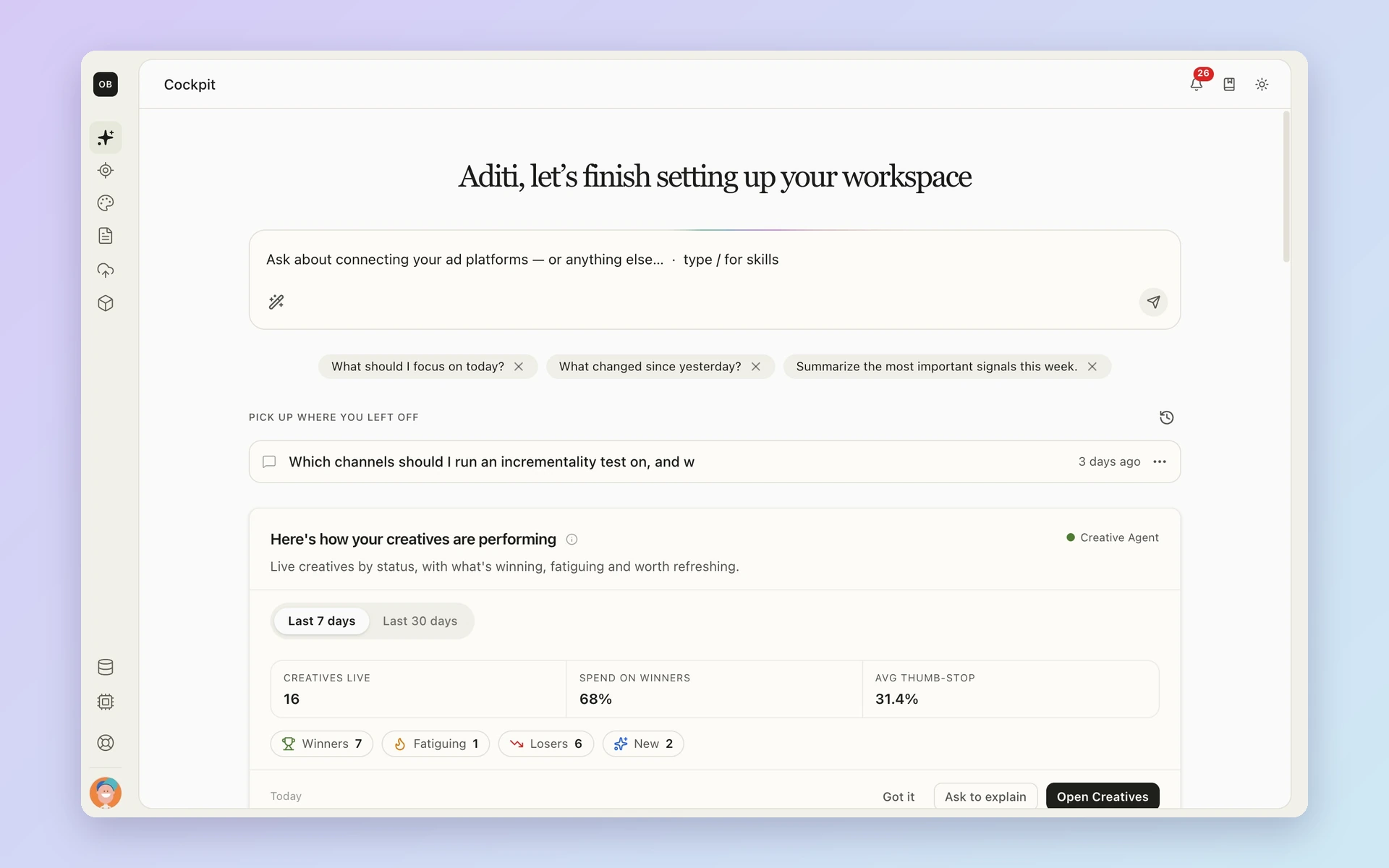
The first screen you see lists what moved since last week. A channel pacing behind plan. An unexpected dip in revenue. A new driver of growth.
Each finding is a starting point. Click one and you see the evidence behind it: the model result, the pacing data or the test that explains it. From there, ask a follow-up question or jump straight into a plan. Instead of checking ten dashboards, you start with the few things worth your time.
Models: Let agents handle the setup work
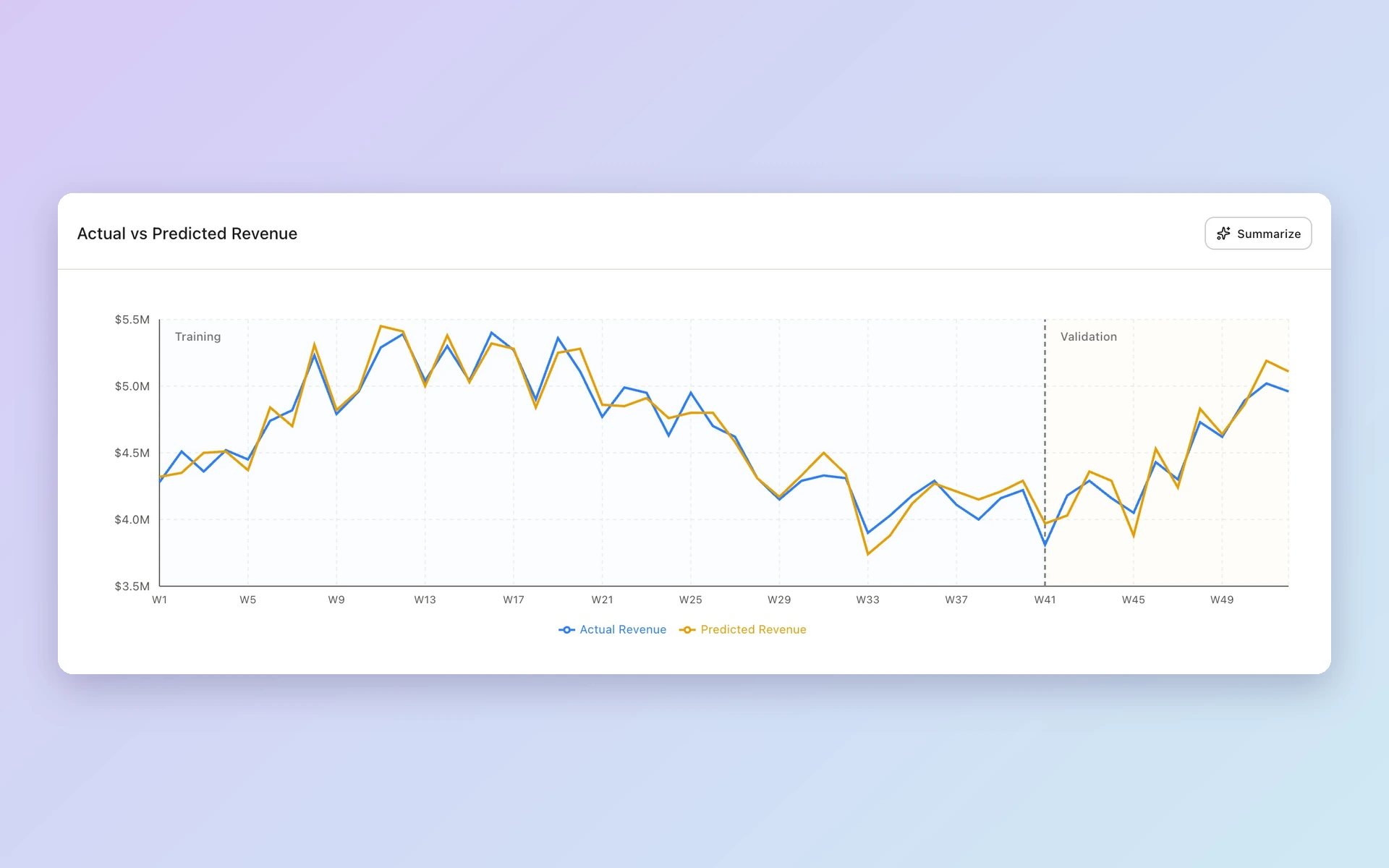
Behind every finding is your causal model. Building one used to take a lot of manual work. Now agents handle much of the setup:
- They suggest priors based on your business and past tests.
- They catch spikes, dips and regime changes in your data, like a pricing change or a stock-out.
- They draft the model configuration.
Your marketing scientist checks the work and signs off before anything runs. After that, everything stays open to inspect: the inputs, the causal graph, the validation results and backtests on data the model hasn’t seen. The model refreshes as new data arrives and is retrained when something big changes, like a new test result.
Experiments: Test before you bet big
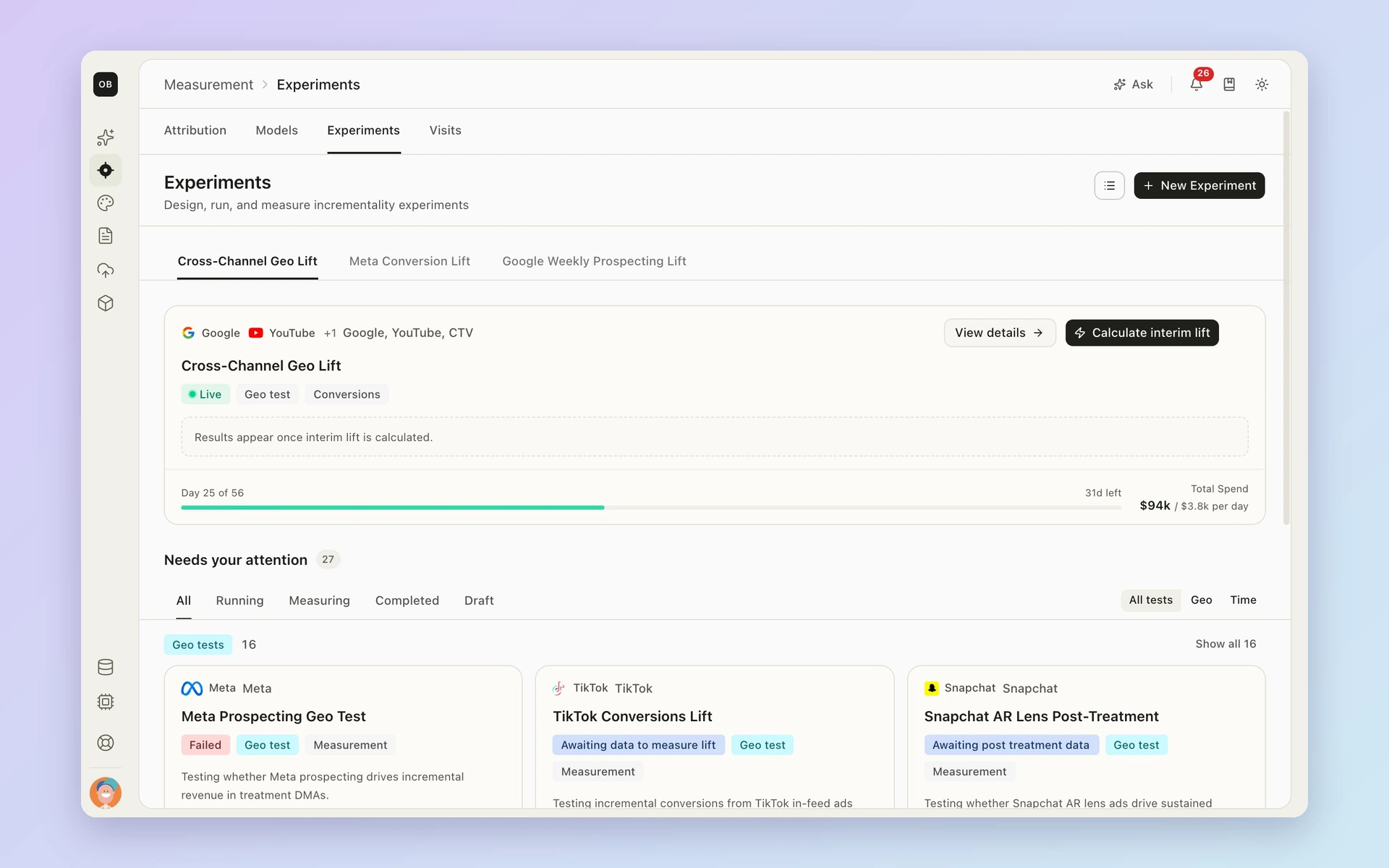
Some questions need a direct answer. Is this new channel worth scaling? Is brand spend doing anything? Experiments helps you design a geo test to find out.
You set the hypothesis, pick the markets and check whether the test can detect a meaningful lift before you start. When the result comes in, it’s read in context and fed into your next model run. One test keeps paying off long after it ends.
Attribution: Find the gap between credit and real impact
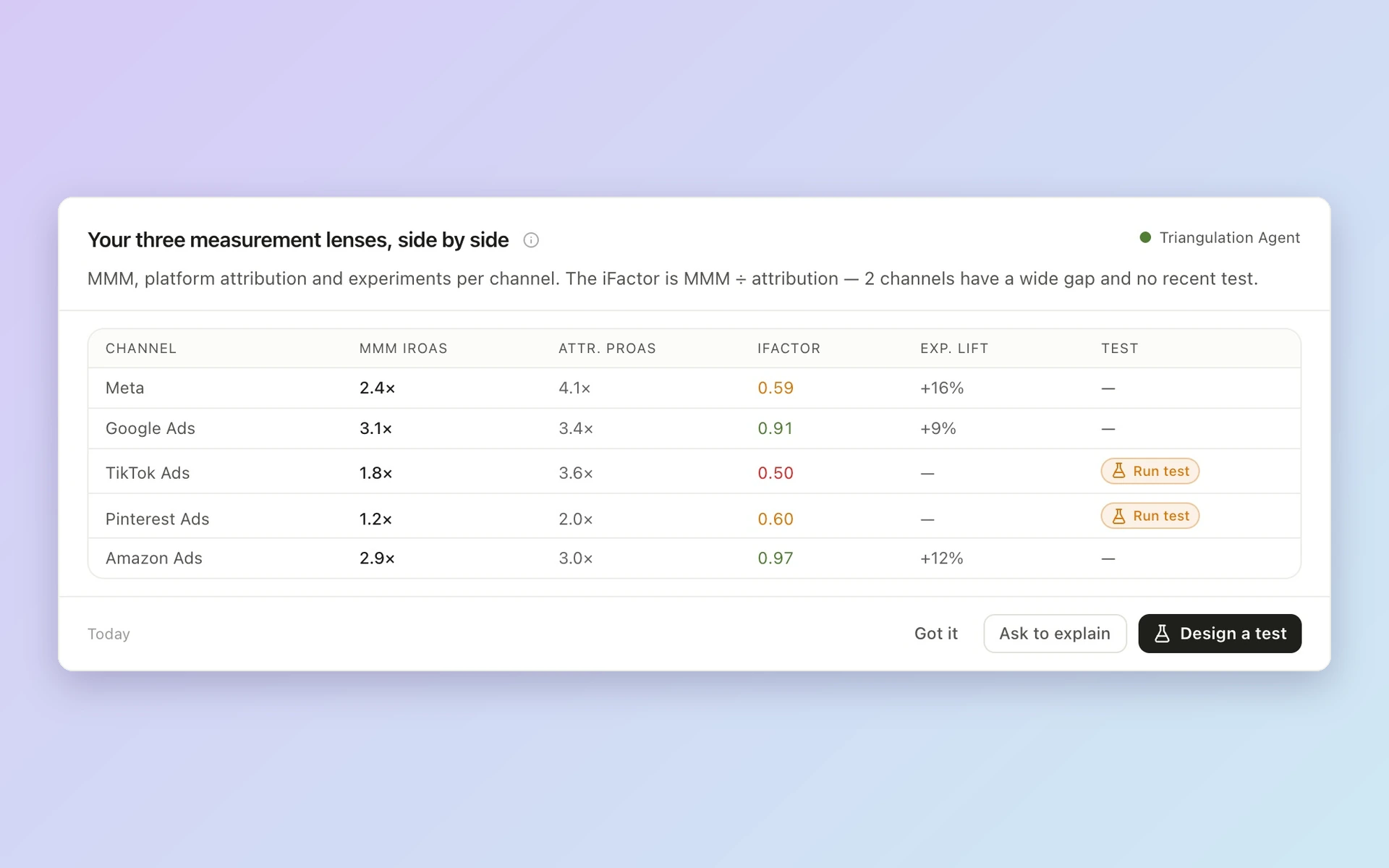
The model covers the big picture. Weekly calls need more detail.
Platforms report the sales they take credit for. Lifesight shows how much of that is truly incremental, side by side. Where the two numbers split, you’ve found something worth a closer look.
Follow that view from channel to campaign, ad set and creative. Each level is anchored to your channel-level results, so the detail never drifts from the big picture. Attribution updates daily and tracks pacing against your plan, so you know where you stand before the week ends.
Data: Catch broken inputs before they skew results
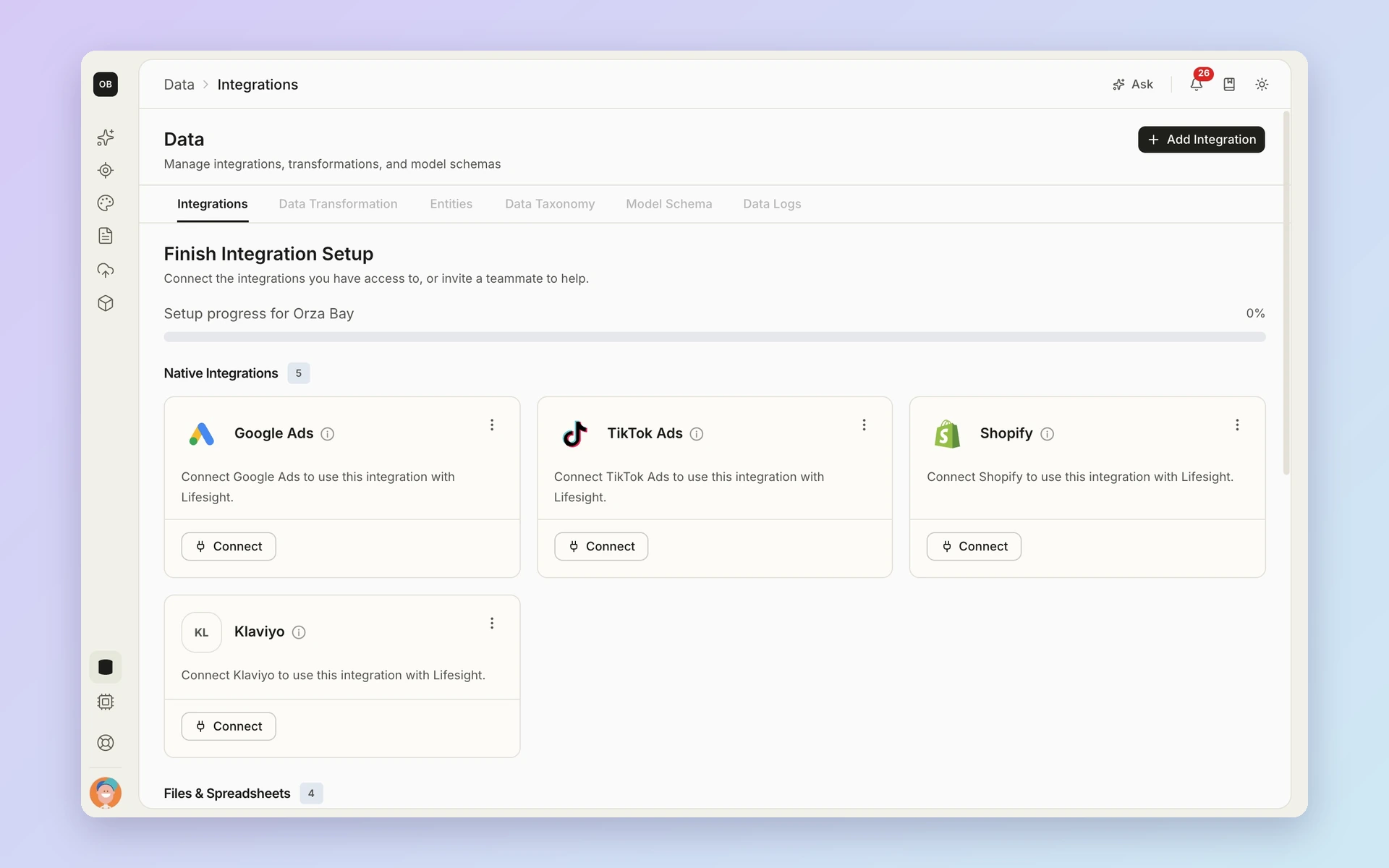
None of this works on messy data. Data is where your sources, fields and definitions come together. Connect your ad platforms, sales and other sources, then map them to one shared set of definitions. That way, “revenue” means the same thing everywhere.
Health checks watch every source. Gaps and stale feeds get flagged early, before they reach a model. You also set the cost and margin assumptions behind your financial metrics, so Finance sees numbers built on terms it agreed to.
Step 2: Decide where to invest
Once you know what’s working, it’s time to choose a direction. Two tools help you pick.
Plan: Know the likely outcome before you spend
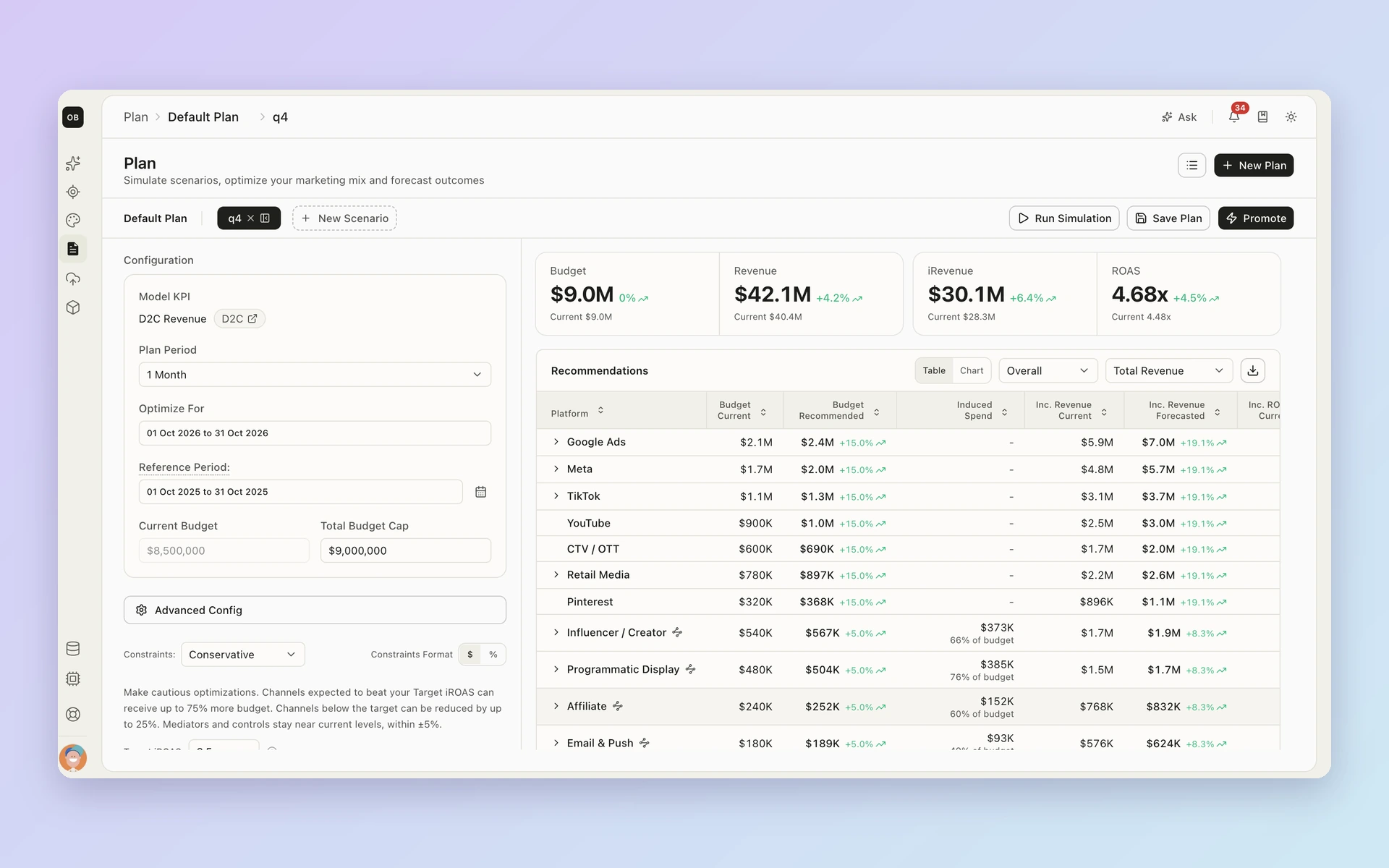
Tell Lifesight your goal, your budget and your limits. Maybe you need to hold a minimum on brand, or cap spend in one market. Plan tests different ways to split the budget across channels, markets and other dimensions.
It looks at marginal returns, not just averages. A channel can have a great track record and still be close to its limit. Plan shows what the next dollar is likely to add, not just what the last one did.
Each option comes with a forecast range and the assumptions behind it. Compare scenarios side by side, save the one you like and share it. Finance can follow the logic line by line.
Creative: Spot tired ads before they drag results down
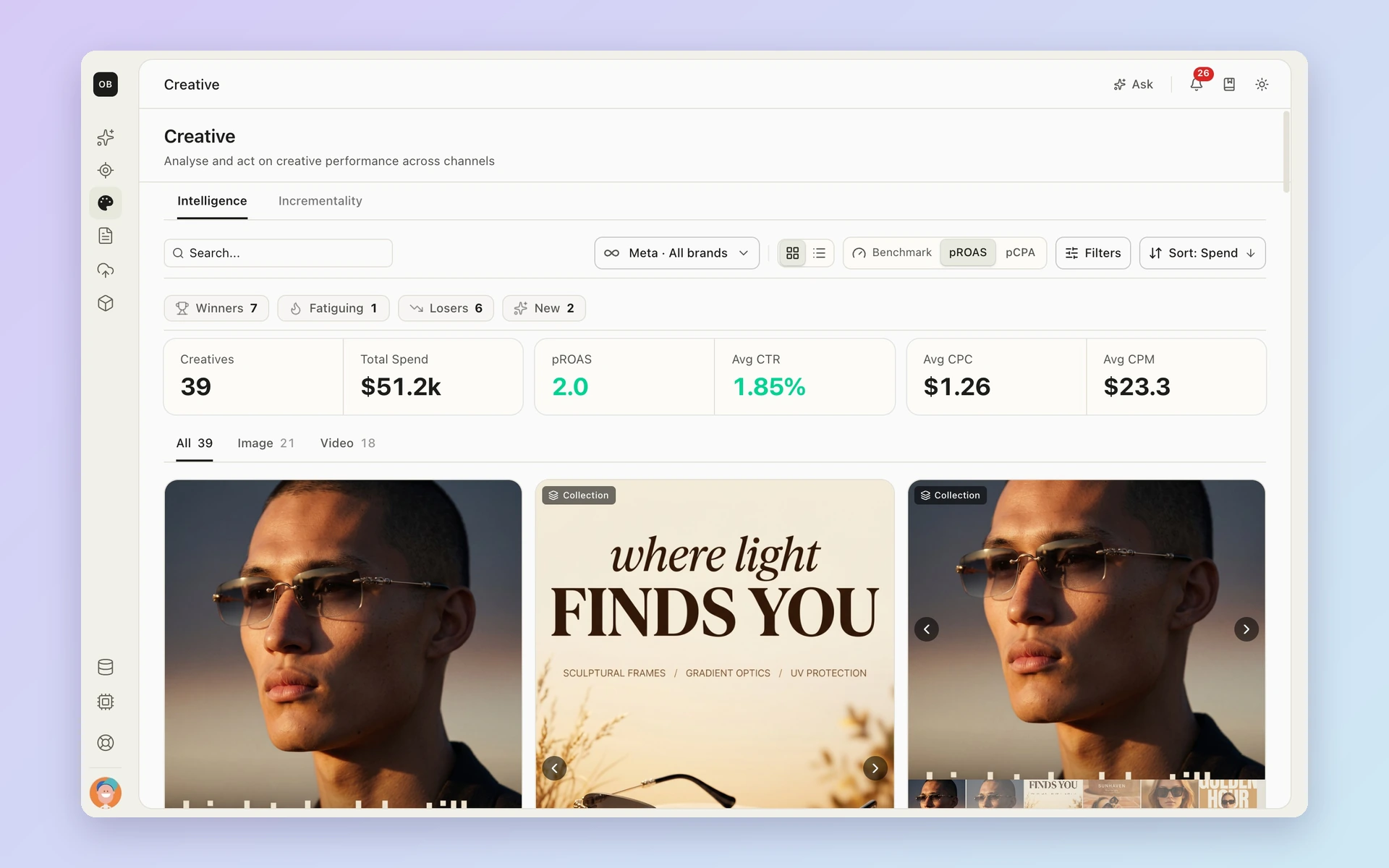
Spend is one lever. The ads themselves are another.
Creative shows how each asset performs, compared with similar assets and over time. You can see which ads are still new, which are holding up and which are starting to slip. That turns a hunch like “this ad feels tired” into a clear question you can test. Your creative team gets a short list of what to try next.
Step 3: Act on it
A plan only matters once it changes what runs. This is where it does.
Deploy: Go from approved plan to live campaigns
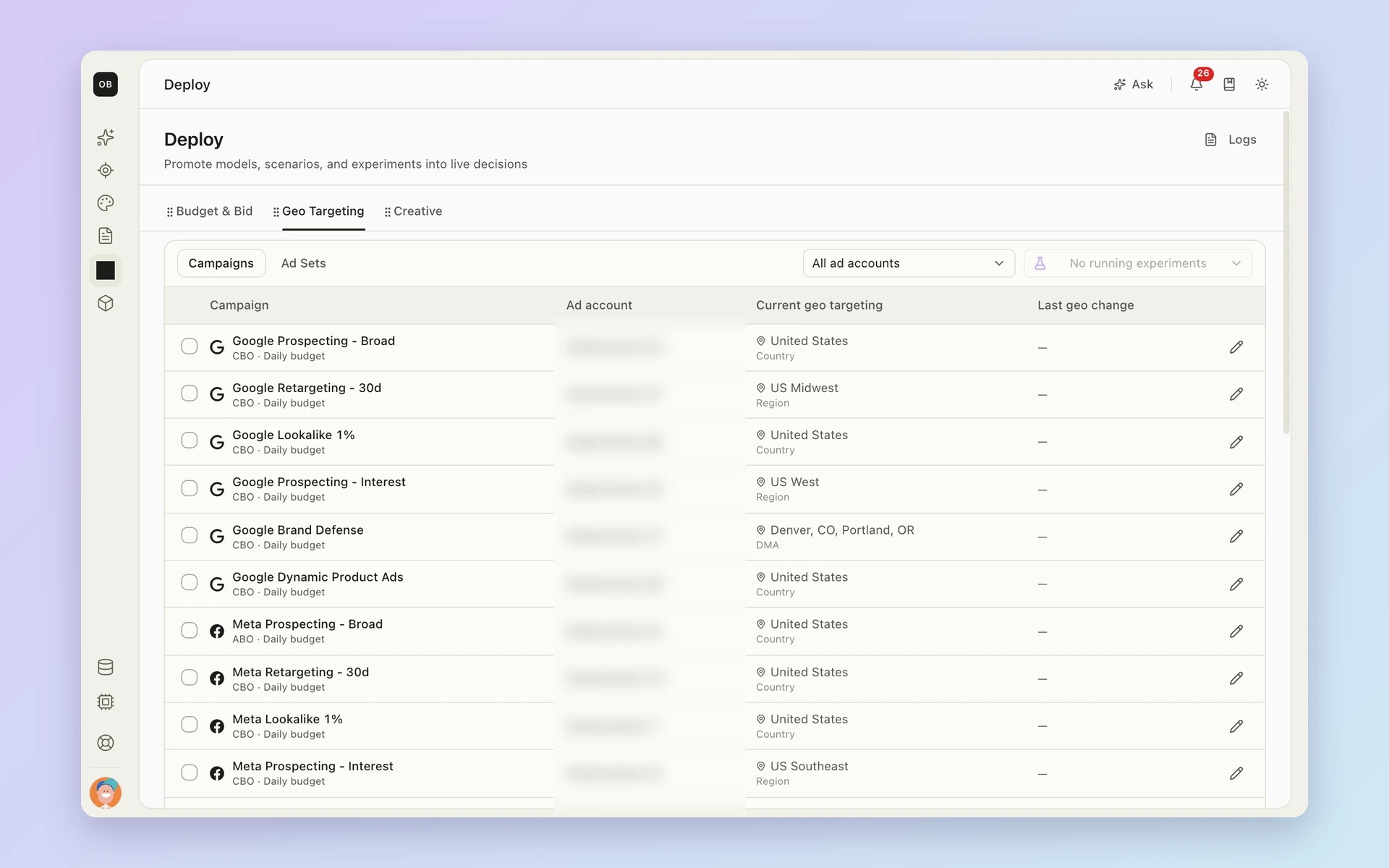
Once you pick a plan, it becomes a set of specific changes. Each recommendation shows the campaign, its current budget or bid, the proposed new value and its status.
Nothing moves without review. Your team approves each change. Supported changes can then be pushed straight to your ad platforms, within the permissions you set. Everything else becomes a clear task for whoever runs that channel.
You can also see how delivery tracks against the plan, so you know each change actually happened.
Artifacts: Walk into the budget meeting ready
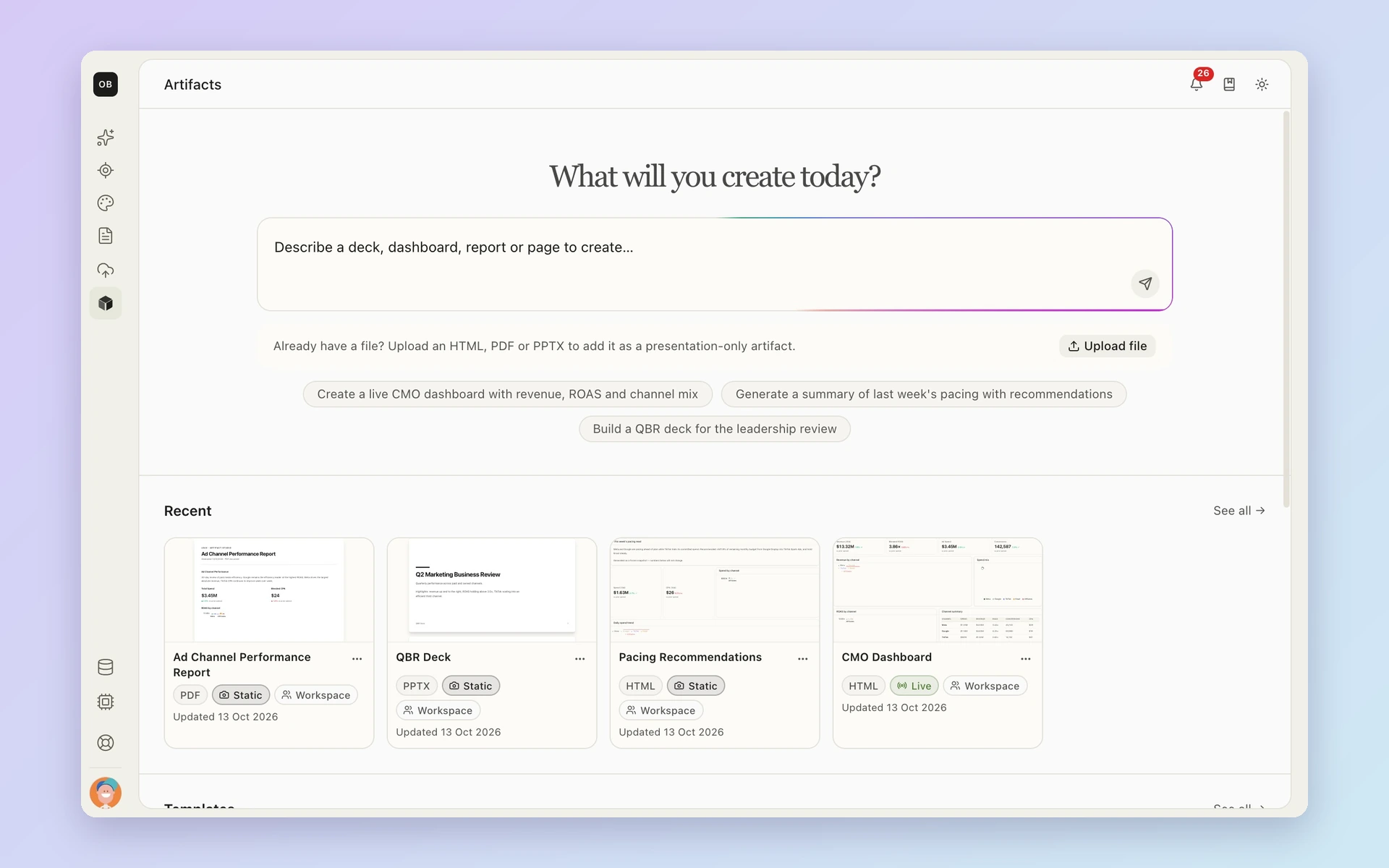
Some calls need a leader’s sign-off. Turn your analysis into something you can hand over: a brief, a plan or a summary.
The evidence, the assumptions and the next step stay attached. If Finance asks why, the answer is right there. No one has to rebuild the story in slides the night before. Artifacts is currently in beta.
Agents at every step
AI agents work next to your team through all three steps, from the first question to the last change.
Ask Lifesight: Skip the dashboard digging
Type a question the way you’d ask a colleague:
- “Why did revenue drop last week?”
- “What happens if we move budget from search to CTV?”
- “Which channel has room to grow?”
The answer draws on your own measurement and shows where it came from, so you can check it. Follow up, dig deeper or turn the answer into a brief.
Agents: A second set of eyes on your data
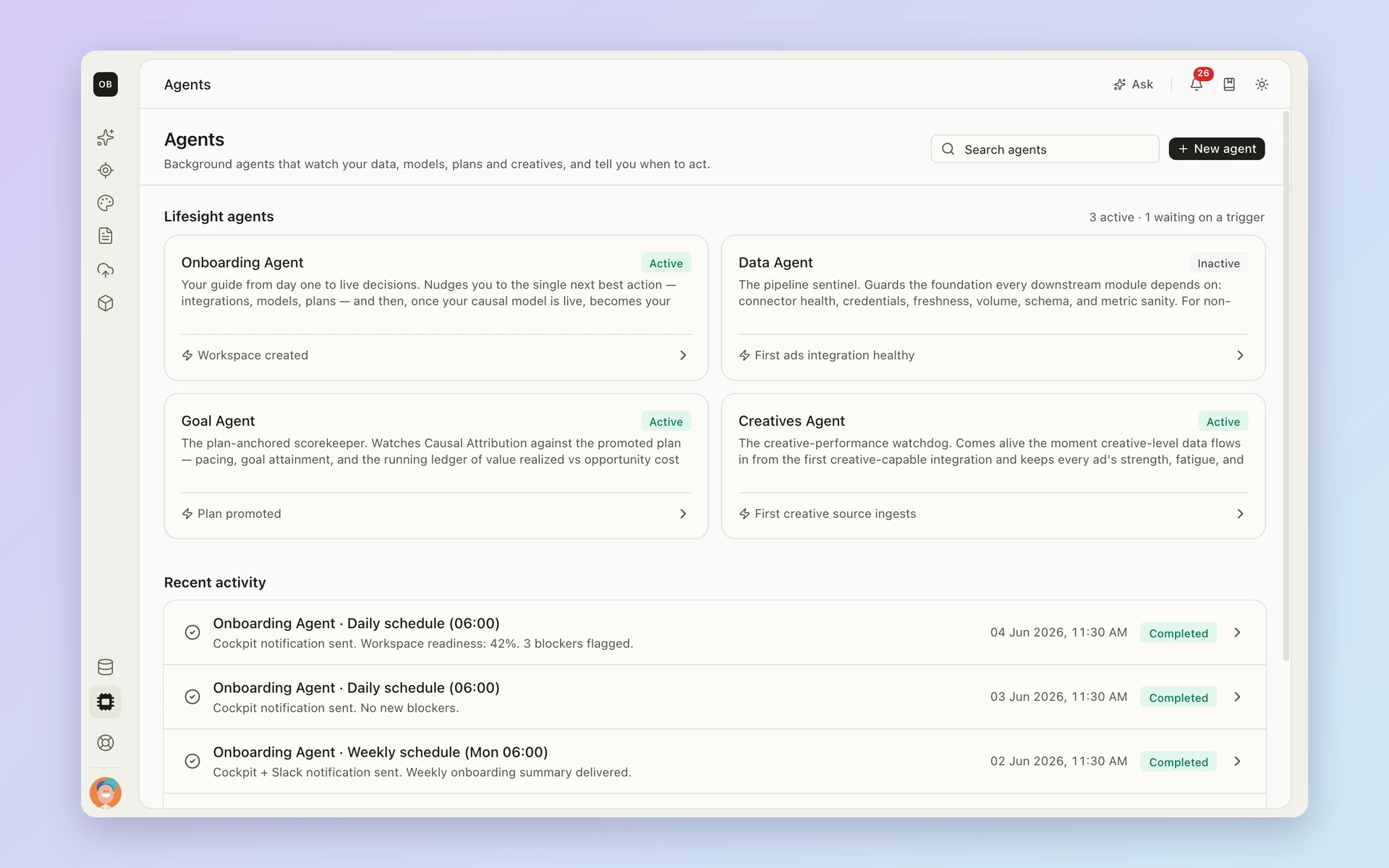
Agents run quietly in the background. They keep an eye on data health and measurement quality. When something needs a look, they flag it, dig into why and suggest a next step.
Every agent finding follows the same path: what changed, the evidence, a recommendation and who needs to approve it. After a change goes live, agents check how it played out. That learning feeds the next decision. Your team makes every call.
Lifesight Connector: Bring your measurement into the AI tools you already use
Your team may already work in an AI assistant like Claude. The Lifesight Connector brings your measurement into supported assistants. Ask questions, explore results and draft explanations without leaving the tool you’re in.
What changes for each team
The same evidence serves everyone in the room. Each team just looks at it from a different angle.
Marketing leaders: Defend the plan with confidence. Show where the budget is going and why. Every allocation has evidence behind it, so budget reviews can focus on the choice itself.
Finance: See what the next dollar is expected to add. Check incremental revenue against agreed costs and margins. See which assumptions would change the case before you sign off.
Growth and performance teams: Know what to scale this week. Find channels with room to grow. Design a test when the evidence is thin. Then turn the plan into weekly changes.
Analysts and data teams: Inspect every assumption. Check the inputs, causal structure and validation behind each recommendation. Approve the model before anyone relies on it.
Proof from a real brand
Seidensticker brought its allocation decisions into Lifesight. In July 2025, revenue came in 11.5% above its monthly target, while ad spend landed 11.7% below the planned budget.
Get started
Most teams connect their sources within days. The first attribution read typically follows in one to two weeks. The first full model comes in four to six weeks. Geo tests usually run for four weeks or more. Exact timing depends on your data and scope.
Our experts support your team through setup and beyond, so you start making decisions on real evidence early.
To see how the new Lifesight handles your own budget question, book a demo.