Lifesight & Salesforce Commerce Cloud
How to connect Salesforce Commerce Cloud to Lifesight
-
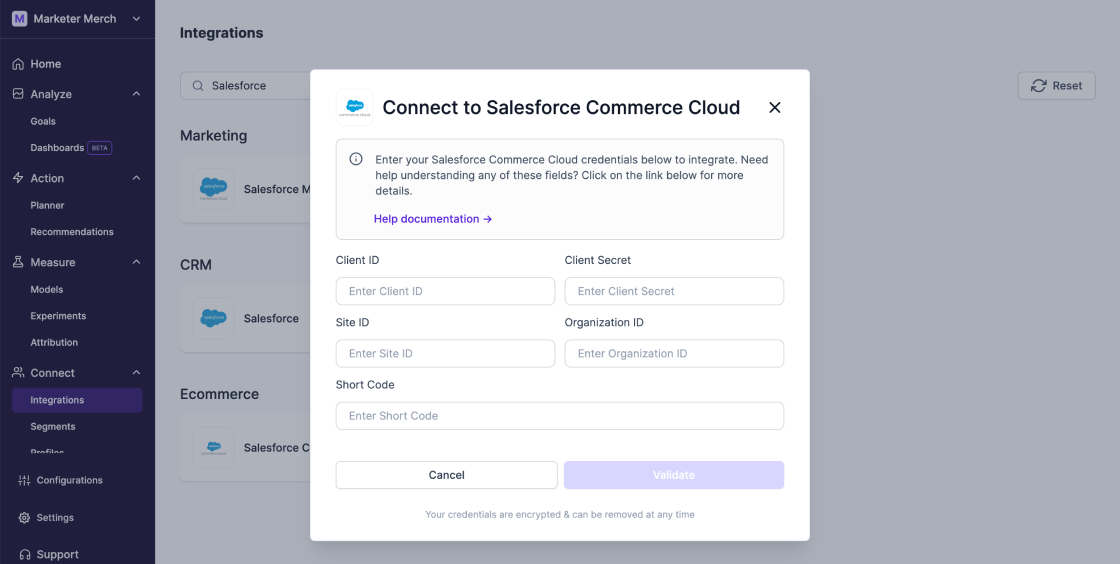
Navigate to Connect > Integrations in the Lifesight dashboard and search for Salesforce Commerce Cloud.
-
Follow the prompts to authenticate and connect your Salesforce Commerce Cloud account with Lifesight.
-
Select the data you want to integrate, such as Orders, Customers, Inventory, and Products, and enable data syncing.
-
Map the integrated data to Lifesight’s global fields to ensure accurate analysis and insights.