Marketing measurement has come a long way, but it still has an access problem. Marketing mix modeling is more sophisticated than ever, incrementality testing is more accessible, and causal attribution has grown steadily more intelligent. Yet most teams still reach their measurement the same way they did years ago. Someone logs into a platform, pulls a report, exports a chart, and translates the findings into a deck. Only then does the insight reach the people responsible for the decision.
The problem is no longer generating answers. It is getting those answers into the flow of work. As AI becomes the interface for modern business, measurement has to be available wherever teams ask questions and make decisions.
That shift sits at the center of Lifesight MCP, because the value of measurement isn’t created when a model runs. It is created when a decision gets made. Lifesight MCP brings your causal measurement directly into the systems where your team plans, collaborates, and acts. It is free for every Lifesight customer, connects in about 60 seconds, and reads directly from your own causal model.
From there, the gains compound in three ways: faster decisions, clearer answers, and the same trusted measurement everywhere your team works.
From Reports to Real-Time Decisions
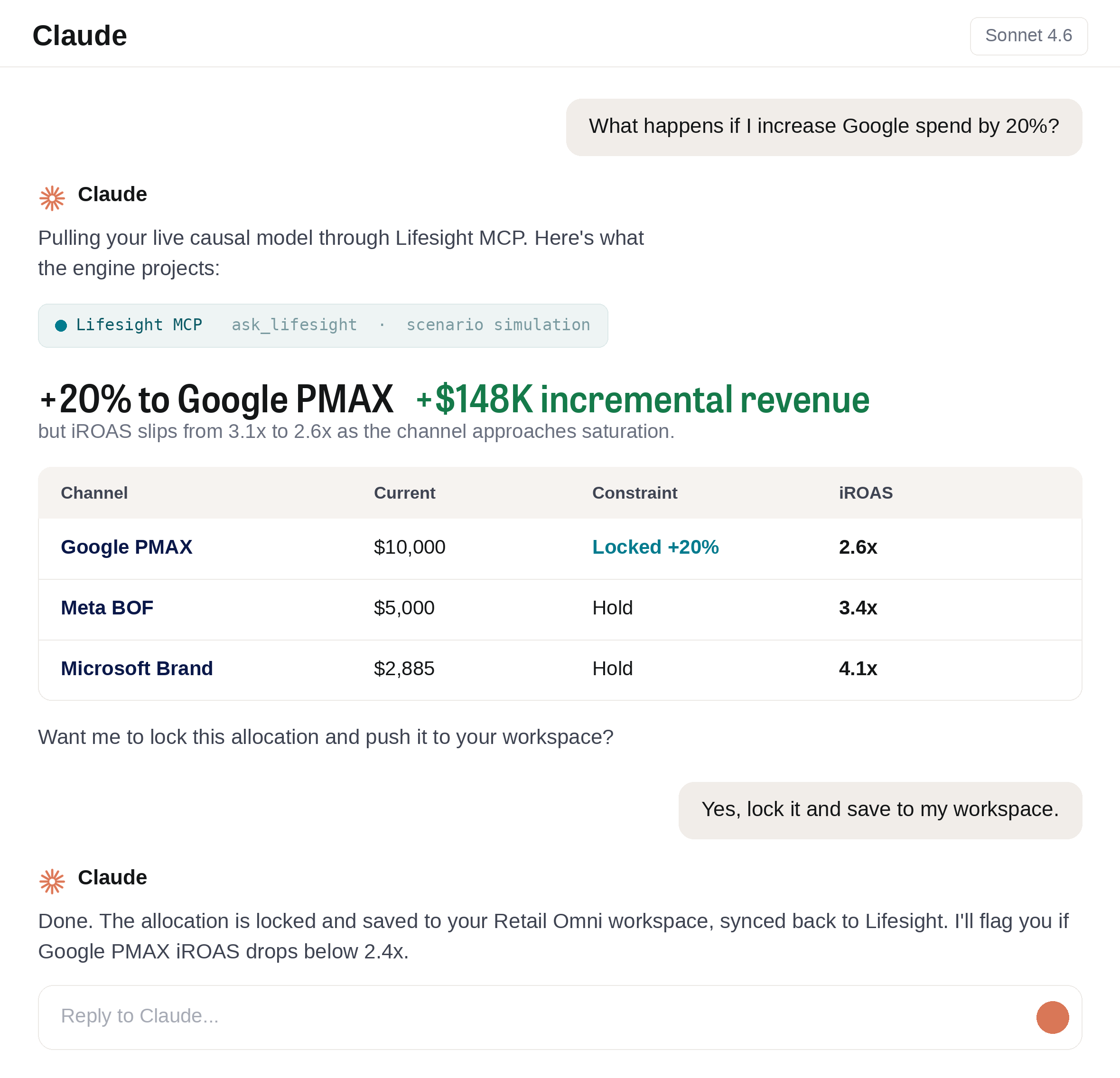
The biggest challenge in measurement today isn’t accuracy. It is latency. Teams routinely wait days between asking a question and receiving an answer, and that delay quietly slows planning cycles, budget decisions, and optimization. Lifesight MCP removes that friction by making your causal measurement directly accessible inside the AI assistants your team already uses. Instead of waiting on a report, you can simply ask:
- Which channels drove incremental revenue last quarter?
- Where should we reallocate the next $500K in spend?
- Which campaigns are delivering the highest incremental return?
Answers arrive immediately. This isn’t faster reporting. It is faster decisions. When market conditions change week to week, decision velocity becomes a real competitive advantage.
From Technical Output to Commercial Clarity
Speed only matters if people can act on what comes back, and access alone isn’t enough. Measurement outputs are often difficult for non-analysts to interpret, including confidence intervals, causal attribution paths, and regression coefficients. Most business decisions require someone to translate that technical detail into a commercial story before anyone can act on it.
Lifesight MCP bridges that gap. It turns complex causal measurement into plain-language answers that marketers, finance leaders, and executives can understand and act on. Rather than interpreting reports, your team engages directly with trusted measurement and moves quickly from insight to action. The result is one shared understanding of performance across marketing, finance, and leadership.
Built for the Tools Your Team Already Uses
That shared understanding shouldn’t stop at a single platform. Measurement should move with the business. Modern teams operate across cloud warehouses, planning tools, business intelligence platforms, and AI workspaces, and measurement should be available wherever that work happens.
Lifesight MCP is designed for exactly that reality. You connect your Lifesight model once to the assistants and environments your team already relies on, and access the same trusted causal answers across every system. One measurement foundation, many decision environments. No silos, no duplicate reporting workflows, and no disconnected sources of truth.
How to Configure Lifesight MCP with Claude?
Setup takes about a minute, with no code and no API keys. The Lifesight MCP (Model Context Protocol) server connects your AI assistant, Claude or ChatGPT, directly to your Lifesight workspace, giving it secure, real-time access to your Marketing Mix Models, budget data, ad performance, and Lifesight’s documentation library, all through plain-language conversation. Here is how to connect it in Claude:
- Open Settings → Connectors → Add custom connector.
- Paste the Lifesight MCP URL:
https://mcp.lifesight.io/mcp. That is the entire configuration. - Sign in with your Lifesight login. OAuth opens in a new tab; approve access, and you are live in the chat window.
Ready to See It in Action?
Book a demo to see how Lifesight MCP brings causal measurement directly into your team’s workflows, helping marketers make faster, more confident decisions from one source of truth.